Comparison
Jupyter vs Colab vs AI-native notebooks: which is best for data science teams?
Compare Jupyter, Google Colab, and AI-native notebooks across setup, collaboration, reproducibility, runtime control, and AI-assisted workflows.
Quick answer
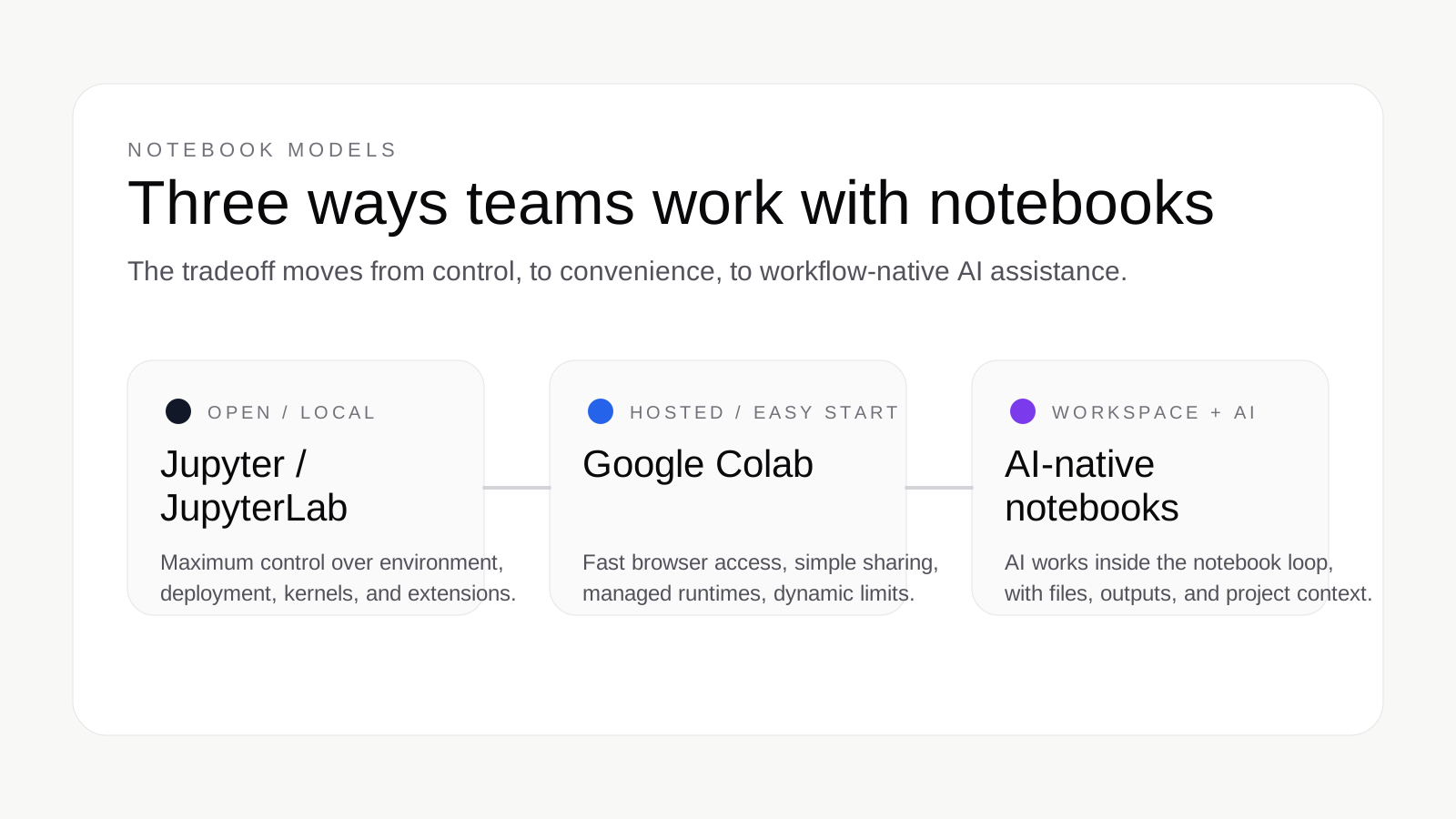
Choose Jupyter or JupyterLab if you want maximum control over your environment, local files, extensions, and deployment model. It remains the strongest fit for researchers, engineers, and technical teams who are comfortable owning more of the environment in exchange for flexibility and open standards.
Choose Google Colab if speed to first notebook matters more than environment control. Colab is excellent for teaching, demos, lightweight ML experiments, and browser-based work because it removes setup, makes notebook sharing easy, and gives users fast access to managed compute.
Choose an AI-native notebook when the notebook still needs to be the final artifact, but your team also wants execution-aware AI help inside that workflow. In practice, that means AI can help write, run, revise, and explain notebook work while keeping code, outputs, and narrative together in a reviewable workspace.
What each option actually is
Jupyter and JupyterLab are part of Project Jupyter. Jupyter describes computational notebooks as shareable documents that combine code, plain-language explanations, data, rich visualizations, and interactive controls. JupyterLab is the more extensible, feature-rich environment, while the classic notebook interface is the simpler, document-centric experience.
Google Colab is a hosted Jupyter Notebook service. Google describes it as a browser-based notebook environment that requires no setup and provides access to compute resources such as GPUs and TPUs. Colab notebooks live in Google Drive, can be shared like Google Docs, and run on virtual machines managed by the Colab service.
AI-native notebooks are not an official Jupyter or Google category. In this article, the term means notebook environments designed around agentic assistance, workspace-aware context, and reproducible notebook output. The notebook remains the artifact, but the product is built so AI can participate directly in the workflow rather than sit beside it as a detached assistant.
| Dimension | Jupyter / JupyterLab | Google Colab | AI-native notebooks |
|---|---|---|---|
| Setup | You install or deploy it yourself. | No local setup; open in the browser. | Usually cloud-first and optimized for fast onboarding. |
| Compute model | Local or self-hosted compute that you manage. | Google-managed hosted runtimes, plus optional local runtimes. | Cloud runtimes tied to the notebook workspace and AI workflow. |
| Collaboration | Possible, but depends on deployment and tooling. | Easy notebook sharing; collaborators do not share your VM state. | Typically centered on shared workspaces, notebooks, and agent context. |
| Reproducibility | Strong when teams manage environments carefully. | Good for notebook files, weaker for runtime and environment continuity. | Designed to keep code, outputs, and AI-generated work in the notebook artifact. |
| File and data handling | You control storage, files, and data access patterns. | Files live in Drive or the VM; VM state is transient. | Workspace-scoped files and notebook context are usually core product primitives. |
| Runtime limits / control | High control; your infrastructure determines limits. | Dynamic limits, idle timeouts, and runtime lifetime constraints. | More product-defined than Jupyter, but usually more workflow-aware than Colab. |
| AI assistance | Bring your own extensions and tooling. | Possible, but not the defining product model. | Core to the product; AI is expected to work inside execution and revision loops. |
| Best for | Teams needing control, openness, and ecosystem breadth. | Fast starts, teaching, lightweight experiments, and demos. | Teams that want notebook-native AI help without losing reproducibility. |
Jupyter strengths and tradeoffs
Jupyter remains the reference point because it is built on open formats and flexible deployment models. Project Jupyter describes notebooks as an open document format based on JSON, and positions JupyterLab as a configurable environment for notebooks, code, and data. That openness matters because teams can run notebooks locally, host them centrally, integrate with their own storage and authentication, and extend the interface when needed.
- Flexibility: run Jupyter locally, on a VM, or in a managed deployment.
- Open standards: the notebook format and protocol are not tied to one vendor.
- Ecosystem depth: Jupyter supports many languages and integrates with a wide tooling ecosystem.
- Control: you decide how kernels, files, authentication, and infrastructure work.
The tradeoff is that this flexibility creates more operational responsibility. Environment management, package consistency, permissions, and collaboration setup all depend on how Jupyter is deployed. JupyterLab supports real-time collaboration, but it is not automatically turned on in every installation and it still operates within the environment you choose to share.
Bottom line
Jupyter is the best choice when control and extensibility matter more than immediate convenience.
Colab strengths and tradeoffs
Colab’s core advantage is convenience. Google describes Colab as a hosted Jupyter Notebook service that requires no setup, which is why it is so often recommended for quick experiments, classroom work, and browser-based ML projects. It is easy to open, easy to share, and easy to start using with managed compute.
- No setup: users can open a notebook in the browser and start quickly.
- Simple sharing: notebooks live in Drive and share similarly to Google Docs.
- Hosted compute: Colab can provide managed runtimes and GPU or TPU access.
- Local runtime option: users can connect Colab to local hardware when needed.
But Colab is not a substitute for environment ownership. Google’s own FAQ is explicit that resources are not guaranteed or unlimited, that usage limits fluctuate, and that VM lifetime and idle behavior vary by plan and usage pattern. The same documentation is also explicit that when you share a notebook, you share the notebook file, not the underlying virtual machine, installed libraries, or custom files in that runtime.
The local runtime option is powerful, but it changes the trust model. Google warns that connecting Colab to a local runtime allows notebook code to read, write, and delete files on your machine. That can be valuable for advanced users, but it is not the same thing as having a durable, shared project workspace designed for team analysis.
Bottom line
Colab is excellent when you want the fastest path to a working notebook, but it is less ideal when your team needs predictable runtime behavior, shared project context, or a durable analysis workspace.
Where AI-native notebooks are different
AI-native notebooks matter when the problem is no longer just where to run a notebook, but how to accelerate notebook work without losing the notebook as the artifact. That is the gap between a notebook editor with optional AI and a notebook environment designed so AI can participate directly in the execution loop.
- The notebook stays the artifact: the output is still code, markdown, plots, and tables in the notebook itself.
- AI can write and run work: the assistant is expected to produce executable notebook work, not just snippets in chat.
- Workspace context matters: uploaded files, prior cells, outputs, and project state become part of the working context.
- Reviewability matters: the value is not just a fast answer, but a notebook your team can inspect, rerun, and share.
This is an inferred category definition, not an official taxonomy from Project Jupyter or Google. It reflects how notebook products are evolving as teams try to combine reproducible analysis with AI assistance that is aware of files, state, and execution. The distinction is that AI-native notebooks treat notebook work as the central surface, not as an attachment to a separate chat tool.
That is where Avenlo fits. Avenlo’s product model is workspace-first: notebook state, files, and runtime activity live inside one project boundary, and the goal is to keep generated code, outputs, and analysis inside a reviewable notebook workflow instead of scattering them across disconnected prompts.
Which one should you choose?
For most teams, the right choice is less about brand preference and more about workflow shape.
- Choose Jupyter or JupyterLab if you are an individual researcher, quant, or engineer who wants full control over environments, dependencies, files, and deployment.
- Choose Colab if you are teaching, experimenting, prototyping, or demoing and want the lowest-friction way to open and share notebooks in a browser.
- Choose Colab over Jupyter for lightweight ML work if setup friction is your main problem and you can tolerate dynamic runtime constraints.
- Choose an AI-native notebook like Avenlo if your team wants notebook-native AI assistance, shared workspace context, and an output that remains reproducible and reviewable as notebook work.
Practical rule of thumb
Use Jupyter for control, Colab for speed, and AI-native notebooks when the bottleneck is the amount of notebook work between the question and the final artifact.
FAQ
Is Colab the same as Jupyter?
No. Colab is a hosted service built on the Jupyter notebook model, while Jupyter is the open project and ecosystem behind interfaces such as Jupyter Notebook and JupyterLab.
Is Colab good for production or team workflows?
It works well for lightweight team sharing and experimentation, but Google’s own documentation makes clear that runtimes are managed, dynamic, and not the same thing as sharing a full working environment.
Are AI-native notebooks replacing Jupyter?
No. AI-native notebooks are better understood as a newer product direction built on top of notebook workflows, not a formal replacement for the Jupyter ecosystem.
When should a team move beyond Colab?
Usually when setup is no longer the main bottleneck and the team needs stronger control over environments, more predictable runtime behavior, or a more reviewable AI-assisted workflow.
Can you use local compute with Colab?
Yes. Google documents a local runtime option, but it comes with explicit security considerations because notebook code can access your local machine.
References
- JupyterLab documentation — Used for JupyterLab’s description, notebook definition, and positioning as a feature-rich environment.
- Project Jupyter home — Used for notebook format, classic notebook positioning, sharing, and open standards language.
- JupyterLab real-time collaboration — Used for the collaboration section and RTC activation details.
- Google Colab FAQ — Used for Colab’s hosted model, sharing behavior, runtime limits, and managed compute tradeoffs.
- Google Colab local runtimes — Used for local runtime behavior, security considerations, and hosted-vs-local distinctions.
Related resources